Definition

DDoS Protection, DDoS attack prevention, website security, winlyhost

What Is DDoS Protection, and Why Do You Need It?

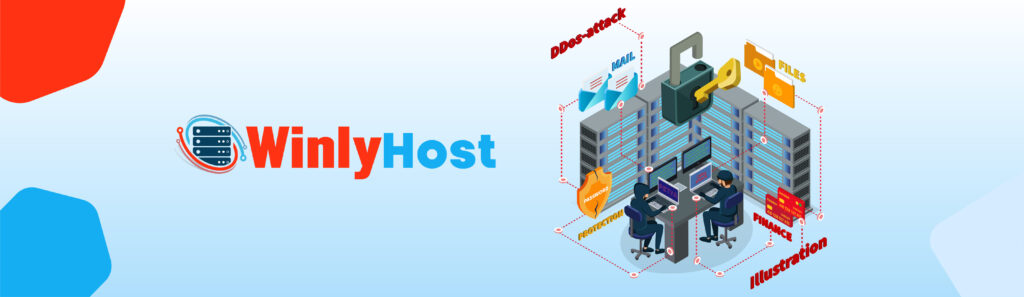
What Is DDoS Protection, and Why Do You Need It? What Is DDoS Protection, and Why Do You Need It? In today’s digital age, ensuring the security of your website is critical. With the increasing prevalence of cyberattacks, Distributed Denial of Service (DDoS) attacks remain one of the most significant threats faced by businesses, website owners, and individuals. But what exactly is DDoS protection, and why is it indispensable? Let’s break it down. Table of Contents: Introduction to DDoS Attacks How Do DDoS Attacks Work? The Impact of DDoS Attacks on Your Website What Is DDoS Protection? Key Benefits of DDoS Protection How to Choose the Right DDoS Protection WinlyHost’s Advanced DDoS Protection Solutions Conclusion: Don’t Leave Your Website Vulnerable Introduction to DDoS Attacks A DDoS attack is a malicious attempt to disrupt the normal traffic of a targeted server, service, or network by overwhelming it with a flood of internet traffic. These attacks can render your website or service inaccessible, causing significant disruptions and potential financial losses.In recent years, DDoS attacks have become more frequent and sophisticated. Whether you’re running a small e-commerce store or managing a large corporate network, no one is immune to this threat. How Do DDoS Attacks Work? DDoS attacks exploit the limitations of a network’s capacity by flooding it with excessive traffic. Hackers use a network of compromised computers, known as a botnet, to send a high volume of requests to your server simultaneously. This sudden surge overwhelms your server’s resources, causing slowdowns or complete shutdowns. Common types of DDoS attacks include: Volume-Based Attacks: Overloading bandwidth with excessive data traffic. Protocol Attacks: Exploiting weaknesses in network protocols to consume server resources. Application Layer Attacks: Targeting specific applications like websites or APIs. The Impact of DDoS Attacks on Your Website The consequences of a DDoS attack can be devastating. Here are some of the potential impacts: Downtime: Prolonged website outages can result in lost revenue and damage to your reputation. Customer Trust: If your website is frequently inaccessible, customers may lose confidence in your brand. Increased Costs: DDoS attacks can lead to increased bandwidth usage, higher hosting bills, and additional expenses for mitigation efforts. Data Vulnerability: While DDoS attacks themselves don’t steal data, they can act as a distraction for more targeted attacks like data breaches. What Is DDoS Protection? DDoS protection is a security measure designed to detect, mitigate, and block malicious traffic aimed at your network. It ensures that legitimate users can access your website or service, even during an ongoing attack. Modern DDoS protection solutions use advanced techniques such as: Traffic Filtering: Blocking malicious traffic while allowing genuine visitors to access your website. Rate Limiting: Controlling the number of requests a server can process from a single source. Cloud-Based Solutions: Leveraging the scalability of cloud platforms to absorb large-scale attacks. Key Benefits of DDoS Protection Uninterrupted Uptime: Keep your website running smoothly even under attack. Improved Security: Protect against not only DDoS attacks but also other cyber threats. Enhanced User Experience: Ensure fast and reliable access for your users. Cost Savings: Prevent financial losses caused by downtime and excessive bandwidth usage. Reputation Management: Maintain your brand’s trustworthiness and credibility. How to Choose the Right DDoS Protection When selecting a DDoS protection solution, consider the following factors: Scalability: Can the solution handle large-scale attacks? Ease of Implementation: How quickly can you deploy the service? Real-Time Monitoring: Does it provide live analytics and alerts? Support: Is 24/7 customer support available? For businesses seeking robust security, choosing a trusted hosting provider like WinlyHost can make all the difference. WinlyHost’s Advanced DDoS Protection Solutions At WinlyHost, we understand the importance of keeping your website secure. Our dedicated servers come equipped with state-of-the-art DDoS protection to safeguard your online presence. Why Choose WinlyHost? 99.9% Uptime Guaranteed Unmetered Bandwidth for seamless performance Customizable Operating Systems to suit your needs 24/7 Friendly Support for all your queries New Year Offer: Save 25% on all dedicated servers with coupon code NEWYEAR2025. Don’t miss this limited-time opportunity to secure your website at an unbeatable price! Explore our solutions today at WinlyHost and experience peace of mind with our reliable hosting services. Conclusion: Don’t Leave Your Website Vulnerable In an era where cyber threats are increasingly common, investing in DDoS protection is no longer optional – it’s a necessity. By implementing advanced security measures, you can safeguard your website, protect your customers, and ensure uninterrupted service. Secure your online presence with WinlyHost and stay ahead of potential threats. Act now to take advantage of our New Year Offer and enjoy a safe, reliable, and high-performing website. Categories Definition (22) Hosting (1) Security (1) SSD Private RDP (1) Uncategorized (9) VPS (2) What is ? (5) Recent Articles

What Is DDoS Protection, and Why Do You Need It? Read More »

Website Backup, winlyhost,

How to Regularly Back Up Your Website

How to Regularly Back Up Your Website How to Regularly Back Up Your Website In today’s fast-paced digital world, the safety of your website’s data is crucial. A single technical glitch, cyberattack, or accidental deletion can jeopardize your hard work. Regular website backups are not just a precaution—they are essential for the continuity of your online presence. In this guide, we’ll explain how to regularly back up your website and ensure your data is always secure. Table of Contents : Why Regular Backups Are Essential Types of Website Backups Best Practices for Regular Backups Tools for Backing Up Your Website Automating Your Backup Process Restoring Your Website from a Backup WinlyHost’s Backup Solutions New Year Offer: Save 25% on Dedicated Servers Why Regular Backups Are Essential Data loss can occur due to various reasons, including: Cyberattacks: Hackers might compromise your website through malware or ransomware. Server Failures: Hosting providers occasionally experience technical issues. Human Errors: A small mistake, like deleting critical files, can disrupt your website. Updates Gone Wrong: Sometimes, updating plugins or themes can break your website. Regular backups act as an insurance policy. They allow you to restore your website to its previous state without losing critical data. Types of Website Backups There are different types of backups you can use: Full Backups: These include everything—your website files, databases, and configurations. Incremental Backups: Only the changes made since the last backup are saved. Manual Backups: Performed manually by downloading files and databases. Automated Backups: Scheduled backups performed using tools or hosting services. Pro Tip: Use a combination of full and incremental backups for optimal security. Best Practices for Regular Backups To ensure your backups are effective, follow these practices: Frequency Matters: Schedule backups daily or weekly, depending on your website’s activity level. Use Multiple Locations: Store backups in different locations such as cloud storage, local servers, or external hard drives. Encrypt Your Backups: Prevent unauthorized access by encrypting your backup files. Test Restorations: Periodically test your backups to confirm they work properly. Monitor Changes: Use tools that monitor website changes and trigger backups accordingly. Tools for Backing Up Your Website Several tools can make the backup process seamless: cPanel: Most hosting providers, like WinlyHost, offer cPanel-based backup tools. Plugins: For WordPress users, plugins like UpdraftPlus and BackupBuddy are excellent. Cloud Services: Google Drive, Dropbox, and Amazon S3 offer reliable storage for backups. Custom Scripts: Advanced users can create scripts to automate backups on a schedule. Automating Your Backup Process Automation saves time and reduces the chances of forgetting to back up. Many hosting providers offer built-in tools to automate backups. For example, WinlyHost provides: Scheduled Backups: Automatically back up your website at specified intervals. Custom Backup Settings: Choose the data you want to include in your backups. Restoring Your Website from a Backup When disaster strikes, restoring your website becomes critical. Here’s how to do it: Identify the Latest Backup: Choose the most recent backup to restore minimal data loss. Access Your Backup Files: Log into your hosting dashboard or backup tool. Restore Files and Database: Upload your files and import your database to the server. Test Your Website: Ensure all functionalities work as expected after restoration. WinlyHost’s Backup Solutions At WinlyHost, we understand the importance of regular backups. Our hosting plans include robust backup features to safeguard your data. With 99.9% uptime guaranteed and unmetered bandwidth, you can trust us to keep your website running smoothly. Features of WinlyHost’s Backup Solutions: Automated daily backups. Easy restoration process. Support for all operating systems. Affordable plans starting from as low as €34.99/month. Explore our France Dedicated Servers and ensure your website’s security and performance. New Year Offer: Save 25% on Dedicated Servers Start the year 2025 on the right foot! Enjoy 25% OFF on all dedicated servers with the coupon code NEWYEAR2025. Whether you’re a small business or an enterprise, our dedicated servers are designed to meet your needs. Visit WinlyHost to claim your offer today. Categories Definition (21) Hosting (1) Security (1) SSD Private RDP (1) Uncategorized (9) VPS (2) What is ? (5) Recent Articles

How to Regularly Back Up Your Website Read More »

Scalable Hosting, winlyhost,

How to Handle Traffic Surges with Scalable Hosting

How to Handle Traffic Surges with Scalable Hosting How to Handle Traffic Surges with Scalable Hosting As the digital landscape evolves, traffic surges on websites have become a common challenge for businesses. Whether it’s a flash sale, a viral post, or a seasonal spike, managing these surges effectively is crucial to maintain website performance and ensure user satisfaction. Scalable hosting solutions offer a reliable way to handle increased demand without compromising on speed or uptime. This guide explores how to prepare for and manage traffic surges using scalable hosting. Table of Contents Understanding Traffic Surges What is Scalable Hosting? Key Benefits of Scalable Hosting for Traffic Surges Best Practices to Handle Traffic Spikes WinlyHost New Year Offer: Enhance Your Hosting Understanding Traffic Surges Traffic surges occur when your website experiences an unexpected spike in the number of visitors. This can happen during: Holiday seasons: Increased online shopping activities. Marketing campaigns: Promotions, ads, or email campaigns driving traffic. Events or launches: Product launches or special announcements. Social media trends: Viral posts leading to a surge in clicks. Without the right hosting solution, these surges can overwhelm your server, leading to downtime, slow load times, or even lost revenue. What is Scalable Hosting? Scalable hosting refers to a hosting solution that adjusts its resources dynamically to meet your website’s changing demands. Unlike traditional hosting plans with fixed resources, scalable hosting allows you to: When high traffic periods occur, increase server capacity. Reduce traffic during low traffic periods to save money. Businesses that experience seasonal traffic spikes or unpredictable surges especially benefit from this flexibility. Key Benefits of Scalable Hosting for Traffic Surges Seamless User Experience: A scalable hosting plan keeps your website fast and responsive even during busy times. 99.9% Uptime Guaranteed: With scalable resources, your website is less likely to experience downtime during surges. Cost-Effectiveness: Pay only for the resources you use, avoiding the expense of overprovisioning. Enhanced Security: Protect your website with DDoS mitigation and other security features that scalable hosting providers offer. Unmetered Bandwidth: Handle high volumes of data transfer without worrying about hitting bandwidth limits. Best Practices to Handle Traffic Spikes Monitor Website Traffic: Use analytics tools to track visitor patterns and predict potential surges. Choose a Scalable Hosting Provider: Opt for hosting providers like WinlyHost that offer flexible and reliable solutions tailored to your needs. Implement Caching: Reduce server load by storing frequently accessed data in cache memory. Optimize Website Performance: Compress images, enable browser caching, and minimize HTTP requests to improve load times. Test Your Website: Perform load testing to identify potential bottlenecks and address them proactively. Enable Auto-Scaling: Configure auto-scaling features to automatically allocate resources during traffic surges. WinlyHost New Year Offer: Enhance Your Hosting This New Year, prepare your website for growth and success with WinlyHost. You can take advantage of our 25% OFF on all dedicated servers! Use coupon code NEWYEAR2025 to upgrade your hosting solution and ensure your website handles traffic surges effortlessly. Why Choose WinlyHost? 99.9% Uptime Guaranteed Friendly Support available 24/7 Unmetered Bandwidth for unlimited growth We’ve got plans for every size company Ready to scale up? Visit WinlyHost today and secure your hosting solution. Categories Definition (20) SSD Private RDP (1) Uncategorized (9) VPS (2) What is ? (5) Recent Articles

How to Handle Traffic Surges with Scalable Hosting Read More »

Hosting Security 2025, Hosting, Security, winlyhost,

Why Hosting Security Is Non-Negotiable in 2025

Why Hosting Security Is Non-Negotiable in 2025 Why Hosting Security Is Non-Negotiable in 2025 In the ever-evolving digital landscape, 2025 stands out as a pivotal year for businesses and individuals alike to prioritize hosting security. The importance of securing your hosting environment can’t be overstated as cyber threats get smarter and more common. Whether you’re a small business owner or a large enterprise, neglecting hosting security could lead to devastating consequences, including data breaches, financial losses, and reputational damage. Table of Contents: Understanding the Importance of Hosting Security Key Threats in 2025 Essential Features of Secure Hosting Benefits of Prioritizing Hosting Security Choosing the Right Hosting Provider WinlyHost New Year Offer: 25% Off on Dedicated Servers 1. Understanding the Importance of Hosting Security By 2025, the digital ecosystem will be more connected than ever. Hosting security plays a crucial role in safeguarding your website, applications, and data. A secure hosting environment ensures: Protection Against Cyberattacks: Shields your website from hackers and malicious software. Compliance with Regulations: Helps you adhere to global data protection laws, such as GDPR. Customer Trust: Enhances your brand’s credibility by ensuring user data is secure. Neglecting hosting security can lead to vulnerabilities that cybercriminals are eager to exploit. 2. Key Threats in 2025 The rise of technology has also given way to more advanced cyber threats. Here are some key threats to watch out for: Ransomware Attacks: Encrypting your data and demanding payment for its release. DDoS Attacks: Overloading servers to disrupt website functionality. Phishing Schemes: Useful for tricking people into giving out sensitive information. Zero-Day Exploits: Taking advantage of unknown software vulnerabilities. Staying proactive with robust hosting security measures is the best way to mitigate these risks. 3. Essential Features of Secure Hosting When evaluating hosting providers in 2025, look for the following essential security features: SSL Certificates: Protect data between the server and the user. DDoS Protection: Prevents server overload from malicious traffic. Regular Backups: Ensures data recovery in case of a breach. Firewall Protection: Blocks unauthorized access to your server. 24/7 Monitoring: Detects and addresses security issues in real-time. WinlyHost offers all these features and more, ensuring that your hosting environment is fortified against modern cyber threats. 4. Benefits of Prioritizing Hosting Security Investing in secure hosting comes with numerous benefits, including: Peace of Mind: Knowing your data is protected around the clock. Improved Website Performance: Security measures reduce downtime caused by attacks. Enhanced SEO Rankings: Search engines prioritize secure websites. Cost Savings: Stops data breaches from ruining your finances. A secure hosting environment isn’t just a necessity; it’s a smart business investment. 5. Choosing the Right Hosting Provider Selecting the right hosting provider can make all the difference in ensuring security. Here are some tips: Research the Provider: Read reviews and testimonials. Evaluate Security Features: Check for SSL, DDoS protection, and backups. Assess Customer Support: A reliable, 24/7 support service is essential. Scalability Options: Ensure the provider can meet your growing needs. WinlyHost ticks all these boxes, offering top-notch security and performance at competitive prices. WinlyHost New Year Offer: 25% Off on Dedicated Servers As part of our commitment to providing secure and affordable hosting, WinlyHost is offering an exclusive 25% discount on all dedicated servers this New Year. Use the coupon code NEWYEAR2025 to take advantage of this limited-time offer. Our dedicated servers come with: Unmetered Bandwidth 24/7 Friendly Support 99.9% Uptime Guaranteed Advanced Security Features Don’t miss out on this opportunity to secure your hosting environment and elevate your online presence. Conclusion In 2025, hosting security is not a luxury but a necessity. By prioritizing security, you protect your business from cyber threats, enhance customer trust, and boost your online performance. WinlyHost stands ready to support you with robust hosting solutions designed for the challenges of today’s digital age. Categories Definition (19) SSD Private RDP (1) Uncategorized (9) VPS (2) What is ? (5) Recent Articles

Why Hosting Security Is Non-Negotiable in 2025 Read More »

CDN vs. Hosting, CDN, Hosting, winlyhost,

CDN vs. Hosting: Understanding the Difference

CDN vs. Hosting: Understanding the Difference CDN vs. Hosting: Understanding the Difference In the fast-evolving world of web technology, businesses and developers constantly strive for better performance and seamless online experiences. Two fundamental services—Content Delivery Network (CDN) and Web Hosting—play a significant role in this quest. While they might sound similar, their functionalities are distinct and crucial for specific aspects of web performance. Understanding the difference between these services can help you make informed decisions for your website’s success. Table of Contents: What is Web Hosting? What is a CDN? Key Differences Between CDN and Hosting Benefits of Combining CDN with Hosting Which One Do You Need? WinlyHost’s New Year’s Offer: Save Big On Dedicated Servers 1. What is Web Hosting? Web hosting lets you store your website’s files on a server and make them accessible via the internet. It’s the foundation of every website, ensuring that all your content—from HTML files to images and databases—is available for users to view. Types of Web Hosting: Shared Hosting: Many websites share the same server resources, making it an affordable option. VPS Hosting: Virtual Private Servers offer dedicated resources on a shared physical server. Dedicated Hosting: A dedicated server provides exclusive resources for one website, ideal for high-traffic sites. Cloud Hosting: Scalability, reliability, and scalability with a network of servers. Web hosting ensures your website’s availability, handles traffic, and provides essential features like 99.9% uptime guarantees and friendly support, which are key offerings of WinlyHost. 2. What is a CDN? Distributed servers deliver web content based on your location through a Content Delivery Network (CDN).Rather than storing your entire website, a CDN caches and delivers static files like images, videos, and CSS from servers closer to the user. Key Features of a CDN: Reduced Latency: Speeds up content delivery by minimizing the distance data travels. Global Reach: Ensures faster loading times for users worldwide. Bandwidth Savings: Reduces the load on the origin server. DDoS Protection: Shields websites from cyber threats. 3. Key Differences Between CDN and Hosting While hosting is mandatory for your website’s existence, a CDN is optional but highly beneficial for enhancing performance, especially for businesses targeting a global audience. 4. Benefits of Combining CDN with Hosting Using a CDN in conjunction with web hosting can revolutionize your website’s performance. Here’s how: Faster Load Times: The CDN delivers cached content quickly, while the host manages dynamic content. Enhanced Security: CDNs provide added protection against DDoS attacks, complementing hosting security features. Improved SEO Rankings: Google favors fast-loading websites, and a CDN can help reduce server response time. Reduced Server Load: A CDN offloads bandwidth demand, ensuring your hosting server operates efficiently. 5. Which One Do You Need? Choose Web Hosting if you’re building a website and need a foundation to store files and manage user traffic. Add a CDN if your website serves a global audience or experiences high traffic, as it boosts speed and reliability. Pro Tip: At WinlyHost, you can select hosting plans tailored to your needs and integrate a CDN for enhanced performance. Whether it’s Private RDP, SATA Private RDP, or Dedicated Servers, we’ve got you covered. WinlyHost New Year Offer: Save Big on Dedicated Servers Kickstart 2025 with unmatched hosting solutions! Enjoy 25% OFF on all Dedicated Servers this New Year. Use code NEWYEAR2025 at checkout to unlock premium hosting at an unbeatable price. Don’t miss out—offer valid for a limited time! Visit WinlyHost now to explore plans that guarantee 99.9% uptime, unmetered bandwidth, and 24/7 support. Categories Definition (18) SSD Private RDP (1) Uncategorized (8) VPS (2) What is ? (5) Recent Articles

CDN vs. Hosting: Understanding the Difference Read More »

Optimized Hosting, winlyhost, Website Speed,

How to Improve Your Website Speed with Optimized Hosting

How to Improve Your Website Speed with Optimized Hosting How to Improve Your Website Speed with Optimized Hosting In today’s fast-paced digital world, website speed is a critical factor for both user experience and SEO rankings. Slow websites frustrate visitors and often lead to high bounce rates, directly affecting your business’s online success. One of the most effective ways to enhance your website’s performance is by using optimized hosting solutions. This article will explore actionable steps to improve your website speed and why optimized hosting matters. Table of Contents: Why Website Speed Matters Factors That Affect Website Speed Role of Optimized Hosting in Enhancing Speed How to Choose the Right Hosting Solution Additional Tips for Improving Website Speed New Year Offer: Save 25% on Dedicated Servers Why Website Speed Matters A website’s speed is more than a technical metric; it affects user experience, conversion rates, and SEO rankings as well. Just a one-second delay can mean a 16% reduction in customer satisfaction and a 7% decrease in conversion rates, according to Google. Moreover, search engines prioritize faster websites, making speed optimization essential for better visibility. Factors That Affect Website Speed There are several factors that contribute to website loading times, including: Server Performance: The speed and reliability of your hosting server. Website Code: Efficient coding practices for HTML, CSS, and JavaScript. Image Optimization: Large, uncompressed images slow down loading times. Content Delivery Network (CDN): A lack of CDN can increase latency. Plugins and Third-Party Scripts: Excessive or poorly coded plugins can cause delays. Role of Optimized Hosting in Enhancing Speed Optimized hosting plays a crucial role in ensuring your website operates at peak performance. Here’s how: Faster Loading Times: Optimized hosting ensures your server’s resources are efficiently allocated, resulting in quicker load times. Scalability: High-quality hosting allows your website to handle traffic spikes without compromising speed. Reduced Downtime: Reliable hosting minimizes server outages, ensuring consistent performance. Advanced Caching: Many hosting providers include built-in caching mechanisms to accelerate page loading. How to Choose the Right Hosting Solution The following factors should be considered when selecting a hosting provider: Server Location: Choose servers closest to your target audience. Resource Allocation: Make sure you’ve got enough RAM, CPU, and storage. Type of Hosting: Options like VPS, dedicated servers, and SSD-based hosting offer better performance. Support and Uptime: Look for providers with 24/7 support and 99.9% uptime guarantees. Recommended Solution: WinlyHost WinlyHost has cutting-edge hosting solutions for businesses of any size. With features like unmetered bandwidth, SSD Private RDP, and 24-hour friendly support, WinlyHost ensures that your website remains fast and reliable. Use coupon code NEWYEAR2025 to get 25% off on all dedicated servers. Additional Tips for Improving Website Speed Optimize Images: Use tools like TinyPNG or ImageOptim to compress images without compromising quality. Minimize HTTP Requests: Reducing server requests by combining CSS and JavaScript files. Enable Browser Caching: Store frequently accessed files locally on users’ devices. Use a CDN: Distribute content globally to reduce latency. Regular Updates: Keep your CMS, themes, and plugins up-to-date to avoid vulnerabilities and performance lags. New Year Offer: Save 25% on Dedicated Servers To kickstart 2025, WinlyHost is offering an exclusive 25% discount on all dedicated servers. Upgrade your hosting today to experience faster loading times and enhanced performance. Use coupon code NEWYEAR2025 at checkout. Visit WinlyHost to learn more. Categories Definition (17) SSD Private RDP (1) Uncategorized (7) VPS (2) What is ? (5) Recent Articles

How to Improve Your Website Speed with Optimized Hosting Read More »

Website downtime, troubleshooting downtime, dedicated server hosting, winlyhost,

Troubleshooting Common Website Downtime Issues

Troubleshooting Common Website Downtime Issues Troubleshooting Common Website Downtime Issues Website downtime can be a major inconvenience, affecting user experience, SEO rankings, and even revenue. Whether you run a personal blog or a large-scale eCommerce site, ensuring uptime is critical. However, understanding the causes and solutions for downtime issues can help mitigate potential losses. In this guide, we’ll explore common causes of website downtime, how to troubleshoot them, and best practices to keep your site running smoothly. Table of Contents What is Website Downtime? Common Causes of Website Downtime Troubleshooting Downtime Issues Preventive Measures to Reduce Downtime Why Reliable Hosting Matters New Year Special: Save 25% on Dedicated Servers 1. What is Website Downtime? Website downtime refers to the period during which your website becomes unavailable or inaccessible to users. Downtime can occur for various reasons, ranging from technical glitches to security issues. Prolonged downtime can lead to loss of trust, revenue, and even SEO penalties, making it crucial to address the issue promptly. 2. Common Causes of Website Downtime Here are the most common culprits behind website downtime: Server Overload: When the server hosting your website is overwhelmed by traffic or resource demands, it can crash and cause downtime. DNS Issues: Problems with your Domain Name System (DNS) can prevent users from reaching your site. Expired Domain or SSL Certificates: Overlooking renewal deadlines for domains or SSL certificates can result in site inaccessibility. DDoS Attacks: Distributed Denial of Service (DDoS) attacks flood your server with fake traffic, making it unavailable to legitimate users. Software Updates or Bugs: Incomplete updates or poorly written code can disrupt your site’s functionality. Hardware Failures: Physical server damage or outdated hardware can also lead to downtime. 3. Troubleshooting Downtime Issues Follow these steps to diagnose and resolve website downtime: Check Server Status Use monitoring tools like Pingdom or UptimeRobot to check your server’s availability. Log in to your hosting control panel to see if there are any ongoing issues. Inspect DNS Configuration Ensure your DNS records are properly configured. Use DNS diagnostic tools to identify misconfigurations. Verify Domain and SSL Expiry Check if your domain name or SSL certificate has expired. Renew them promptly if necessary. Scan for Malware or Attacks Use security plugins or tools to scan for potential malware or hacking attempts. Implement a Web Application Firewall (WAF) to protect against DDoS attacks. Rollback Updates If a recent update caused downtime, revert to the previous stable version of your website or software. Contact Hosting Support Reliable hosting providers offer 24/7 support to help diagnose and fix server-side issues. 4. Preventive Measures to Reduce Downtime Prevention is always better than cure. Here’s how you can minimize website downtime: Opt for Reliable Hosting: Choose a hosting provider known for excellent uptime guarantees and support, such as WinlyHost. Use a CDN: A Content Delivery Network (CDN) helps distribute traffic and reduces server load. Monitor Performance: Regularly monitor your site’s uptime and performance using monitoring tools. Implement Backups: Ensure daily backups of your website to restore it quickly in case of failure. Upgrade Resources: As your website grows, upgrade to a higher-capacity server to handle increased traffic. 5. Why Reliable Hosting Matters Your hosting provider plays a significant role in your website’s uptime. With WinlyHost, you get: 99.9% Uptime Guaranteed SSD and SATA Private RDP Options Unmetered Bandwidth for Seamless Performance 24/7 Friendly Support and a 24-Hour Refund Policy By choosing a dependable host, you eliminate many of the common causes of website downtime. New Year Special: Save 25% on Dedicated Servers Celebrate the New Year with WinlyHost! Get 25% OFF on all Dedicated Servers using coupon code NEWYEAR2025. Whether you need a France Dedicated Server, Germany Dedicated Server, or Netherlands Dedicated Server, we’ve got you covered. Don’t miss out on this limited-time offer to elevate your website performance! Categories Definition (16) SSD Private RDP (1) Uncategorized (7) VPS (2) What is ? (5) Recent Articles

Troubleshooting Common Website Downtime Issues Read More »

Bandwidth, Dedicated Server, Website Bandwidth, winlyhost,

Understanding Bandwidth and How It Affects Your Website

Understanding Bandwidth and How It Affects Your Website Understanding Bandwidth and How It Affects Your Website Table of Contents What Is Bandwidth in Web Hosting? The Role of Bandwidth in Website Performance Factors That Affect Bandwidth Requirements How to Calculate Your Website’s Bandwidth Needs Tips to Optimize Bandwidth Usage Choosing a Hosting Plan with the Right Bandwidth Exclusive New Year Offer on Dedicated Servers What Is Bandwidth in Web Hosting? Bandwidth in web hosting refers to the amount of data that your website can transfer to users within a specific time frame. It includes everything from text, images, videos, and downloads to user requests. Think of it as the capacity of a highway—more lanes (higher bandwidth) mean more cars (data) can travel without congestion. For websites, bandwidth determines how smoothly users can access your content. Slow loading times or crashes during high traffic periods can be caused by low bandwidth. The Role of Bandwidth in Website Performance Bandwidth plays a crucial role in: Website Speed: High bandwidth ensures quicker page load times, enhancing user satisfaction. Handling Traffic Surges: Websites with higher bandwidth can handle sudden spikes in traffic without downtime. Content Delivery: Rich media, like videos or high-resolution images, require more bandwidth for seamless delivery. A website with limited bandwidth may experience bottlenecks, leading to frustrated users and lower search engine rankings. Factors That Affect Bandwidth Requirements Traffic Volume: The more visitors your site has, the more bandwidth you’ll need. Content Type: Websites with heavy multimedia (videos, animations) consume more bandwidth than text-heavy sites. Downloadable Files: If your website offers downloadable resources, it will require additional bandwidth. Website Features: E-commerce platforms, dynamic content, and real-time chats require higher bandwidth. How to Calculate Your Website’s Bandwidth Needs To estimate your bandwidth needs, use the formula: Average Page Size x Monthly Visitors x Average Page Views per Visitor = Bandwidth Multiply this value by a safety factor (e.g., 1.5 or 2) to account for traffic surges. For instance, if your site has large media files, a dedicated server with high bandwidth is ideal. Tips to Optimize Bandwidth Usage Compress Images: Use tools to compress images without compromising their quality. Leverage Caching: Enable browser caching to store website resources locally on users’ devices. Use a Content Delivery Network (CDN): CDNs distribute content across multiple servers for faster access. Optimize Code: Minimize JavaScript, CSS, and HTML files to reduce data transfer. Monitor Traffic Patterns: Use analytics tools to identify and address bandwidth-heavy areas of your site. Choosing a Hosting Plan with the Right Bandwidth For businesses and high-traffic websites, choosing a hosting plan with sufficient bandwidth is critical. Dedicated servers, such as those offered by WinlyHost, are ideal for websites requiring high-speed data transfer, reliability, and scalability. WinlyHost provides options like: Germany Dedicated Servers with unmetered bandwidth. SSD and SATA private RDP solutions for faster performance. Customizable hosting plans to meet your specific bandwidth needs. Dedicated Servers: Save 25% on New Year’s Eve Start 2025 with blazing-fast hosting! WinlyHost is offering 25% OFF on all dedicated servers. Use coupon code NEWYEAR2025 at checkout and enjoy unmatched performance and bandwidth for your website. Check out our limited-time offer! Conclusion Understanding bandwidth and its impact on your website is crucial for maintaining a seamless user experience. It is possible to improve website performance and reduce costs by calculating your bandwidth needs and optimizing its use. Whether you’re running a blog, an e-commerce store, or a media-rich platform, investing in a hosting plan with adequate bandwidth is essential. Take advantage of WinlyHost’s New Year Sale to get a reliable and scalable hosting solution at 25% off. Categories Definition (15) SSD Private RDP (1) Uncategorized (7) VPS (2) What is ? (4) Recent Articles

Understanding Bandwidth and How It Affects Your Website Read More »

Choose a Dedicated Server, Dedicated Server, winlyhost,

How Do I Choose a Dedicated Server?

How Do I Choose a Dedicated Server? How Do I Choose a Dedicated Server? In today’s ever-evolving digital landscape, businesses need robust and reliable hosting solutions to power their online presence. For those who require unparalleled performance, security, and customization, a dedicated server is the ideal choice. But how do you choose the right dedicated server for your needs? This guide will walk you through the essential considerations to help you make an informed decision. Table of Contents Understand Your Hosting Needs Evaluate Server Performance Consider Scalability Options Assess Security Features Factor in Budget and Pricing The WinlyHost Advantage: New Year Offer 1. Understand Your Hosting Needs Before diving into technical specifications, it’s crucial to assess your requirements: Website Traffic: How much traffic does your website handle daily? High-traffic sites require powerful servers to ensure smooth performance. Applications: Are you running resource-intensive applications or multiple websites? Storage Needs: Determine whether you need SSD (Solid-State Drives) for speed or SATA drives for larger storage at a lower cost. Clearly defining your needs will narrow down the type of dedicated server that aligns with your objectives. 2. Evaluate Server Performance Performance is a critical factor when choosing a dedicated server. Here are some key considerations: Processor (CPU): Opt for servers with high-performance processors like Intel Xeon or AMD EPYC for seamless multitasking. RAM: More RAM ensures better performance for data-heavy applications. Look for at least 16GB or more, depending on your workload. Bandwidth: Unmetered bandwidth is ideal for businesses with unpredictable traffic patterns. Hosting providers like WinlyHost offer unlimited data transfer options to meet your needs. 3. Consider Scalability Options Your hosting needs may grow over time, so it’s important to choose a server that supports scalability. Look for: Flexible Upgrade Options: Ensure your provider allows easy upgrades for storage, RAM, or bandwidth. Custom Configurations: Providers like WinlyHost let you customize your server to fit your specific requirements. 4. Assess Security Features Security is non-negotiable, especially if your website handles sensitive data. Evaluate the following: DDoS Protection: Protect your website against distributed denial-of-service attacks. Firewalls: Ensure robust firewall systems are in place. Backup Solutions: Look for automated backup and recovery options to safeguard your data. 5. Factor in Budget and Pricing Dedicated servers come at a premium, so it’s important to balance cost and performance. Here’s what to consider: Transparent Pricing: Avoid hidden fees by choosing a provider with upfront pricing. Value for Money: Look for additional perks like 24/7 support, 99.9% uptime guarantees, and flexible refund policies. Current Offers: Take advantage of promotions. For instance, WinlyHost is offering 25% OFF on all dedicated servers with the coupon code NEWYEAR2025. Act fast to capitalize on this limited-time deal! The WinlyHost Advantage: New Year Offer Choosing the right hosting provider is just as important as selecting the server itself. Here’s why WinlyHost stands out: Customized Solutions: From SSD Private RDP to Netherlands Dedicated Servers, WinlyHost provides tailored options for every business need. Unmetered Bandwidth: Never worry about data caps with our high-speed, unmetered plans. Reliable Support: Enjoy 24/7 customer support and a 24-hour refund policy for peace of mind. Special Offer: Start 2025 with top-tier hosting solutions at discounted rates. Use coupon code NEWYEAR2025 for 25% OFF on all dedicated servers. Categories Definition (14) SSD Private RDP (1) Uncategorized (7) VPS (2) What is ? (4) Recent Articles

How Do I Choose a Dedicated Server? Read More »

Scalability in Hosting, VPS Hosting, Dedicated Servers, winlyhost, RDP server,

Why Scalability Matters in Hosting: The Role of VPS and Dedicated Servers

Why Scalability Matters in Hosting: The Role of VPS and Dedicated Servers Why Scalability Matters in Hosting: The Role of VPS and Dedicated Servers In today’s fast-paced digital landscape, businesses need hosting solutions that can grow with their demands. Scalability is no longer a luxury; it’s a necessity. Whether you’re running a startup or managing a large enterprise, the ability to scale your hosting infrastructure can make or break your online success. This blog dives deep into why scalability matters and how VPS (Virtual Private Servers) and Dedicated Servers play a pivotal role in meeting this critical requirement. Table of Contents What is Scalability in Hosting? The Importance of Scalability for Businesses VPS Hosting: A Scalable Solution for Growing Needs Dedicated Servers: The Ultimate in Scalability and Performance Comparing VPS and Dedicated Servers for Scalability How WinlyHost Can Help You Scale What is Scalability in Hosting? Scalability in hosting refers to the ability of a server or hosting solution to accommodate increasing workloads by adding resources such as CPU, RAM, or storage. Scalable hosting solutions allow businesses to adjust their server capacity based on their specific needs without facing downtime or performance bottlenecks. The Importance of Scalability for Businesses Scalability is crucial for businesses of all sizes. Here’s why: Handle Traffic Spikes: Websites often experience sudden surges in traffic during promotional events, product launches, or festive seasons. A scalable hosting solution ensures your site remains functional during these peak periods. Support Business Growth: As your business grows, your hosting requirements will also increase. Scalability allows you to seamlessly add resources without migrating to a new hosting provider. Cost-Effectiveness: Instead of overpaying for resources you don’t currently need, scalable solutions let you pay for what you use and expand when required. VPS Hosting: A Scalable Solution for Growing Needs VPS hosting bridges the gap between shared hosting and dedicated servers. It provides a virtual environment with dedicated resources, offering both flexibility and scalability. Here’s how VPS hosting supports scalability: On-Demand Resource Allocation: Add more RAM, storage, or CPU power as your website grows. Cost-Effective: You only pay for the resources you use, making it ideal for small to medium-sized businesses. Customization: With VPS hosting, you can configure the server environment to meet your specific requirements. VPS hosting is perfect for businesses experiencing steady growth or those launching new projects. Dedicated Servers: The Ultimate in Scalability and Performance For businesses with high traffic or complex applications, dedicated servers offer unparalleled performance and scalability. Here’s why dedicated servers are the top choice: Complete Control: With full root access, you can configure the server to handle even the most demanding applications. Unshared Resources: Unlike VPS hosting, all resources are exclusively yours, ensuring maximum performance. Custom Hardware Upgrades: Add storage, increase RAM, or upgrade CPUs without limitations. Dedicated servers are ideal for e-commerce websites, large enterprises, and data-intensive applications. Both VPS and dedicated servers offer scalability, but your choice depends on your business size, budget, and growth trajectory. How WinlyHost Can Help You Scale At WinlyHost, we understand the importance of scalability in hosting. Our VPS and dedicated server solutions are designed to meet the diverse needs of businesses. Here’s what sets us apart: Customizable Configurations: Choose from a range of operating systems, storage types (SSD or SATA), and hardware configurations. 24/7 Support: Our team is always available to assist with scaling your hosting environment. Global Data Centers: With servers located in Germany, France, and the Netherlands, we provide low latency and high performance. DDoS Protection: Safeguard your data and ensure uninterrupted service with our advanced security features. Christmas Offer: Save 20% on All Dedicated Servers This festive season, take your business to new heights with our exclusive Christmas offer. Get 20% OFF on all dedicated servers with coupon code CHRISTMAS20. Don’t miss this opportunity to scale your hosting infrastructure at unbeatable prices. Offer valid until December 31st. More Blogs: What is VPS Hosting?  Benefits of Dedicated Servers  Categories Definition (13) SSD Private RDP (1) Uncategorized (3) VPS (2) What is ? (4) Recent Articles

Why Scalability Matters in Hosting: The Role of VPS and Dedicated Servers Read More »

NVMe SSD vs. SATA Storage for Servers, winlyhost, dedicated server,

Comparing NVMe SSD vs. SATA Storage for Servers: Which One Suits Your Needs?

Comparing NVMe SSD vs. SATA Storage for Servers: Which One Suits Your Needs? Comparing NVMe SSD vs. SATA Storage for Servers: Which One Suits Your Needs? In the ever-evolving world of web hosting and server management, choosing the right storage technology is critical. Two of the most widely used storage options for servers are NVMe SSD and SATA. But how do you decide which one is the best fit for your needs? Let’s dive into a detailed comparison to help you make an informed decision. Table of Contents: Understanding NVMe SSD and SATA Storage Performance Comparison: NVMe vs. SATA Cost Analysis: What Fits Your Budget? Reliability and Durability: Which Lasts Longer? Use Cases: When to Choose NVMe or SATA How WinlyHost Makes a Difference Conclusion: Tailoring Storage to Your Needs 1. Understanding NVMe SSD and SATA Storage SATA Storage SATA (Serial Advanced Technology Attachment) is a traditional storage interface commonly used in servers and PCs. It supports both HDDs (Hard Disk Drives) and SSDs (Solid State Drives) and has been the standard for years due to its affordability and broad compatibility. NVMe SSD Storage NVMe (Non-Volatile Memory Express) is a newer technology designed specifically for SSDs. Unlike SATA, NVMe leverages the PCIe (Peripheral Component Interconnect Express) interface, offering significantly faster data transfer rates and lower latency. 2. Performance Comparison: NVMe vs. SATA When it comes to speed, NVMe SSDs are the clear winners. SATA SSDs typically deliver speeds of up to 600 MB/s, while NVMe SSDs can reach transfer rates of 3,500 MB/s or more. This makes NVMe an excellent choice for resource-intensive applications such as: High-traffic websites Video rendering Big data analytics However, if your server workload involves basic web hosting or light data storage, SATA might suffice. 3. Cost Analysis: What Fits Your Budget? SATA One of the biggest advantages of SATA is its cost-effectiveness. It’s an ideal choice for businesses with limited budgets that require adequate storage without high performance demands. NVMe NVMe drives are generally more expensive but deliver unmatched performance. For businesses that prioritize speed and efficiency, the investment in NVMe storage pays off. 4. Reliability and Durability: Which Lasts Longer? Both SATA and NVMe SSDs are more durable than traditional HDDs, thanks to their lack of moving parts. However, NVMe drives often have higher endurance ratings, making them more suitable for environments with heavy read/write operations. 5. Use Cases: When to Choose NVMe or SATA Choose SATA if: You’re running basic websites or blogs. Your workload doesn’t require ultra-high speeds. Budget constraints are a priority. Choose NVMe if: You manage high-performance applications. Your website experiences heavy traffic. Speed and scalability are crucial to your business. 6. How WinlyHost Makes a Difference At WinlyHost, we understand that different businesses have unique requirements. That’s why we offer servers with both NVMe SSD and SATA options, ensuring you get the best solution tailored to your needs. Plus, this festive season, we’re offering 20% off on all dedicated servers with the code CHRISTMAS20. Don’t miss this opportunity to power up your business with cutting-edge technology! Conclusion: Tailoring Storage to Your Needs The choice between NVMe SSD and SATA boils down to your specific requirements. If performance is a priority, NVMe is the way to go. However, if you’re looking for a cost-effective solution for basic workloads, SATA is a reliable option. This Christmas, take advantage of WinlyHost’s 20% discount and upgrade your hosting solutions with the right storage technology. Whether you choose NVMe or SATA, WinlyHost ensures top-notch performance, reliability, and support. Categories Definition (12) SSD Private RDP (1) Uncategorized (1) VPS (2) What is ? (3) Recent Articles

Comparing NVMe SSD vs. SATA Storage for Servers: Which One Suits Your Needs? Read More »

DDoS Protection for Hosting Solutions, Dedicated Server, Winlyhost,

The Importance of DDoS Protection for Your Hosting Solutions

The Importance of DDoS Protection for Your Hosting Solutions The Importance of DDoS Protection for Your Hosting Solutions Ensuring the security of your hosting solutions is a top priority in today’s digital landscape. One of the most significant threats businesses face is Distributed Denial of Service (DDoS) attacks. These attacks can disrupt services, compromise sensitive data, and tarnish a brand’s reputation. In this blog, we will delve into the importance of DDoS protection for hosting solutions and how it safeguards your business from these cyber threats. Table of Contents: What is a DDoS Attack? Why is DDoS Protection Essential? How DDoS Attacks Impact Your Hosting Solutions Features to Look for in DDoS Protection WinlyHost’s DDoS-Protected Hosting Solutions Exclusive Christmas Offer: Save Big on Secure Hosting Conclusion 1. What is a DDoS Attack? A Distributed Denial of Service (DDoS) attack overwhelms your website with traffic, and it isrendered inoperable for legitimate users. This can severely damage the online reputation ofyour business as well as its revenue. 2. Why is DDoS Protection Essential? In an era where online presence defines business success, having robust DDoS protection is no longer optional. Here’s why: Business Continuity: Prevent disruptions that could result in financial losses. Data Integrity: Safeguard sensitive customer and company data from potential breaches. Customer Trust: Ensure your services remain accessible and reliable. Compliance: Adhere to industry regulations that mandate secure hosting environments. 3. How DDoS Attacks Impact Your Hosting Solutions DDoS attacks can have a devastating impact on hosting solutions, affecting businesses of all sizes. Here are some common consequences: 4. Features to Look for in DDoS Protection When choosing a hosting solution, ensure it includes the following DDoS protection features: Real-Time Monitoring: Continuous surveillance to detect and block threats instantly. Scalability: Protection that adapts to the size and type of attack. Automated Mitigation: Quick response mechanisms to minimize downtime. Customizable Rules: Flexibility to set specific security parameters based on your needs. 5. WinlyHost’s DDoS-Protected Hosting Solutions At WinlyHost, we understand the critical role of security in hosting solutions. That’s why our hosting services come equipped with advanced DDoS protection, ensuring: 99.9% Uptime: Your website and applications remain accessible. Ultra-Fast Performance: No compromise on speed even during attacks. Comprehensive Security: Safeguard your data and resources from malicious actors. Whether you opt for our Germany Dedicated Servers, SSD Private RDP, or VPS Servers, WinlyHost provides the perfect balance of security and performance to meet your business needs. 6. Exclusive Christmas Offer: Save Big on Secure Hosting 🎄 This festive season, WinlyHost is spreading cheer with an Exclusive Christmas Offer! 🎄 Get 20% OFF on all dedicated servers with the coupon code CHRISTMAS20. Don’t miss this opportunity to secure your business at unbeatable prices. Offer valid until December 31st, 2024! 👉 Conclusion 👈 In the face of growing cyber threats, investing in hosting solutions with robust DDoS protection is a wise decision. Not only does it safeguard your business from potential attacks, but it also ensures seamless performance and customer satisfaction. WinlyHost’s DDoS-protected hosting solutions provide a perfect combination of security, reliability, and cost-effectiveness. Don’t wait until it’s too late—power up your hosting with WinlyHost today and enjoy peace of mind knowing your business is secure. Categories Definition (11) SSD Private RDP (1) Uncategorized (1) VPS (2) What is ? (3) Recent Articles

The Importance of DDoS Protection for Your Hosting Solutions Read More »

Customizable Hosting Configurations, Dedicated Server,

How Customizable Configurations Make a Difference in Hosting

How Customizable Configurations Make a Difference in Hosting How Customizable Configurations Make a Difference in Hosting The web hosting industry has undergone significant changes, and businesses now seek hosting solutions that can adapt to their unique requirements. Among the many features that determine the quality of hosting services, customizable configurations have emerged as a game-changer. They enable businesses to optimize resources, enhance performance, and manage costs efficiently. Table of Contents Introduction to Customizable Hosting Configurations Why Flexibility Matters in Hosting Key Benefits of Customizable Configurations Use Cases for Businesses The Role of Operating Systems in Custom Configurations WinlyHost’s Special Offer: Christmas Savings on Dedicated Servers Conclusion Introduction to Customizable Hosting Configurations Customizable hosting configurations allow users to tailor their hosting solutions according to specific business or personal needs. Unlike generic hosting plans, these configurations provide flexibility in server resources, operating systems, and software settings. This adaptability ensures that businesses get exactly what they need without overpaying for unnecessary features. Why Flexibility Matters in Hosting In today’s competitive digital landscape, one-size-fits-all hosting solutions often fall short. Websites and applications vary widely in their demands—from high-performance e-commerce platforms to lightweight personal blogs. Flexible hosting ensures businesses can: Scale resources as needed. Improve application performance. Accommodate specific software requirements. For example, a startup may require minimal resources initially but could need significant scalability as it grows. Key Benefits of Customizable Configurations 1. Enhanced Resource Allocation Customizable configurations let businesses allocate resources like RAM, CPU, and storage based on their precise needs. This minimizes wastage and ensures cost-effectiveness. 2. Optimized Performance With the ability to configure servers, users can fine-tune settings to meet performance goals. Hosting environments can be optimized for high traffic, large data sets, or complex applications. 3. Cost-Effectiveness Tailoring configurations eliminates the need to pay for unused features, making hosting plans more budget-friendly. 4. Improved Security Custom configurations enable businesses to deploy specific security protocols and firewalls, providing a more secure environment. 5. Support for Niche Applications Many businesses run specialized software that requires specific server settings. Customizable configurations ensure compatibility with such tools. Use Cases for Businesses Customizable hosting configurations cater to a wide range of industries and needs: E-commerce Websites: Handle high traffic and secure payment transactions efficiently. Startups: Scale resources as business grows without overcommitting initially. Developers: Test and deploy applications in environments tailored to their needs. Data Analytics: Process large volumes of data with high-performance servers. The Role of Operating Systems in Custom Configurations The operating system (OS) plays a vital role in customizable hosting. Whether you prefer Windows or Linux, choosing the right OS ensures compatibility with your applications and ease of use. Linux OS Ideal for open-source applications. Offers stability and security. Cost-effective and widely supported. Windows OS Suitable for businesses reliant on Microsoft tools. Provides seamless integration with applications like SQL Server and ASP.NET. At WinlyHost, we offer almost all operating systems, giving users the freedom to choose what works best for them. WinlyHost’s Special Offer: Christmas Savings on Dedicated Servers This festive season, elevate your hosting experience with WinlyHost’s Dedicated Servers and enjoy 20% off with the code CHRISTMAS20. Our Germany Dedicated Servers come with customizable configurations, ensuring unparalleled performance and security. Why Choose WinlyHost? Ultra-fast performance. Advanced DDoS protection. Options for SSD and SATA storage. Hurry! Offer valid until December 31st. Visit WinlyHost to learn more. 👉 Conclusion 👈 Customizable configurations are no longer optional in hosting; they are a necessity. They provide businesses with the flexibility to adapt to ever-changing demands while optimizing performance and costs. WinlyHost’s dedication to offering tailored hosting solutions ensures that every business can find the perfect match for its needs. Categories Definition (10) SSD Private RDP (1) Uncategorized (1) VPS (2) What is ? (3) Recent Articles 21 Dec 2024 Definition Top 5 Signs Your Business Needs to Upgrade to a Dedicated Server 21 Dec 2024 Definition Why Your Business Needs a Dedicated Server 21 Dec 2024 Definition How Do I Choose the Best RDP Server for Personal Use? 21 Dec 2024 What is ? Bare Metal Server vs Dedicated Server: What’s the Difference? 19 Dec 2024 Definition Cloud Hosting vs Dedicated Hosting: Pros and Cons Explained

How Customizable Configurations Make a Difference in Hosting Read More »

Dedicated Server,

Top 5 Signs Your Business Needs to Upgrade to a Dedicated Server

Top 5 Signs Your Business Needs to Upgrade to a Dedicated Server Top 5 Signs Your Business Needs to Upgrade to a Dedicated Server In today’s fast-paced digital landscape, businesses heavily rely on efficient and robust hosting solutions to ensure their online operations run smoothly. While shared hosting and VPS (Virtual Private Server) solutions may suffice for startups and smaller businesses, growing enterprises often outgrow these options. Dedicated servers become an essential upgrade for businesses experiencing specific challenges and requirements. In this blog, we’ll explore the top five signs your business needs to upgrade to a dedicated server and how this decision can significantly impact your operations. 1. Increased Website Traffic One of the most obvious indicators that it’s time to upgrade is a surge in website traffic. Shared hosting or VPS solutions have limited resources, which can lead to slower website performance and frequent downtime during traffic spikes. If your business has experienced steady growth in user visits or seasonal surges (e.g., during holidays or promotional campaigns), a dedicated server ensures: Uninterrupted uptime: Uninterrupted uptime: Prevent website crashes during high traffic periods. Enhanced performance: Handle thousands of simultaneous visitors without delays. Scalability: Easily adjust server configurations to accommodate growing demands. 2. Data Security Concerns As businesses expand, protecting sensitive customer data becomes paramount. Shared hosting environments inherently pose risks since resources are distributed among multiple users. A dedicated server provides a much higher level of data security by offering: Exclusive resources: Only your business has access to the server’s resources. Customizable security protocols: Implement firewalls, intrusion detection systems, and other advanced measures tailored to your needs. DDoS protection: Safeguard against cyberattacks with dedicated tools. With a dedicated server, you’re in full control of your hosting environment, ensuring compliance with industry standards like GDPR and HIPAA. 3. Slow Website Performance Have you noticed your website’s loading speed lagging? A site that takes more than three seconds to load is more likely to be abandoned by users. Slow website performance on a shared or VPS server often results from resource contention among multiple users. Upgrading to a dedicated server can: Eliminate resource sharing: Guarantee all CPU, RAM, and storage resources are exclusively for your use. Boost site speed: Achieve lightning-fast load times with powerful server hardware and SSD storage options. Improve user experience: It is important to reduce bounce rates and increase conversion rates. 4. Customized Software Requirements Businesses often require specific software configurations to support their applications, databases, or development projects. Shared hosting environments limit the ability to install custom software or modify server settings. A dedicated server, however, offers: Full control: Install and configure any operating system or software as needed. Flexibility: Adjust server resources based on your evolving requirements. Compatibility: Ensure your hosting environment aligns perfectly with your business tools. For example, e-commerce platforms with complex payment gateways or CRM systems often perform better on dedicated servers. 5. Frequent Downtime and Reliability Issues Downtime can severely impact your business, leading to lost revenue and damaged customer trust. If you’ve encountered frequent outages or reliability problems with your current hosting solution, it’s time to switch to a dedicated server. Benefits include: 99.9% uptime guarantee: Enjoy uninterrupted operations. High reliability: Avoid server crashes and technical glitches. Dedicated support: Access expert assistance to resolve issues promptly. The WinlyHost Advantage At WinlyHost, we specialize in providing top-tier dedicated server solutions tailored to your business needs. With customizable configurations, robust DDoS protection, and cutting-edge SSD and SATA storage options, our servers ensure unparalleled performance and security. This holiday season, take advantage of our Christmas Offer and get 20% off on all dedicated servers with the coupon code CHRISTMAS20. Don’t miss this opportunity to power up your business for the new year! Categories Definition (10) SSD Private RDP (1) Uncategorized (1) VPS (2) What is ? (3) Recent Articles

Top 5 Signs Your Business Needs to Upgrade to a Dedicated Server Read More »

Dedicated Server, SSD Private RDP, Private RDP, SATA Private RDP, France Dedicated Server, Germany Dedicated Server, Netherlands Dedicated Server, VPS Server, Special RDP.

Why Your Business Needs a Dedicated Server

Why Your Business Needs a Dedicated Server Why Your Business Needs a Dedicated Server In today’s highly competitive digital landscape, ensuring seamless website performance and data security is non-negotiable. Whether you’re running a small e-commerce site or managing enterprise-level operations, the choice of hosting solutions can make or break your business success. Among the myriad options available, Dedicated Servers stand out as the gold standard for businesses aiming for performance, security, and scalability. Here’s why your business should consider investing in a Dedicated Server. 1. Enhanced Security Security is a top concern for every business, especially in industries handling sensitive customer data. A Dedicated Server provides: Exclusive Access: Unlike shared hosting, a Dedicated Server is exclusively yours. This eliminates the risk of breaches caused by other users on the same server. Custom Security Configurations: You have complete control over firewalls, antivirus programs, and other security measures, tailoring them to your business needs. Data Protection: Advanced encryption and backup solutions ensure your data remains secure. For example, businesses managing confidential customer details or processing online payments, like e-commerce websites, benefit significantly from this heightened security. 2. High Performance and Reliability When it comes to website speed and uptime, a Dedicated Server delivers unmatched performance. Here’s how: Dedicated Resources: Unlike VPS or shared hosting, all server resources (CPU, RAM, and bandwidth) are allocated solely to your business, ensuring faster page load times. Optimal Uptime: Dedicated Servers guarantee superior uptime, minimizing the chances of downtime that could cost you revenue and customer trust. Adaptability to High Traffic: Whether it’s a seasonal sale or a viral campaign, Dedicated Servers can handle high traffic without performance dips. 3. Scalability for Future Growth As your business grows, your hosting needs will expand too. Dedicated Servers offer: Customizable Hardware: Easily upgrade server components like RAM, storage, and processors. Scalable Bandwidth: Accommodate increasing website traffic without sacrificing speed or performance. Support for Expansion: Whether you’re adding new services, expanding databases, or increasing traffic, a Dedicated Server grows with you. For startups and growing businesses, this scalability is a key advantage. 4. Complete Control and Customization Dedicated Servers give you total control over the server environment: Operating System Choice: Select from popular options like Linux or Windows. Tailored Software: Install only the applications and tools that suit your business operations. Administrative Privileges: With root or admin access, you can fine-tune server settings for optimal performance. This level of control is ideal for businesses with unique hosting requirements or specialized software needs. 5. Cost-Effective in the Long Run While the initial cost of a Dedicated Server may seem high compared to shared or VPS hosting, it’s a worthwhile investment: Fewer Downtime Costs: Reliable performance minimizes revenue losses caused by downtime. Improved Efficiency: Faster website performance enhances user experience, leading to higher conversion rates. Reduced Risk: Stronger security means less risk of costly data breaches. With solutions like WinlyHost’s Dedicated Servers, businesses can enjoy affordable plans without compromising quality. Special Holiday Offer – Christmas Discount! This Christmas, make the switch to a Dedicated Server with WinlyHost and enjoy 20% OFF on all plans. Use coupon code CHRISTMAS20 at checkout to claim your discount. Don’t miss this chance to enhance your business operations at a reduced cost! Explore Dedicated Server Plans now. Comparison with Other Hosting Options While shared hosting is budget-friendly and VPS hosting offers a middle ground, a Dedicated Server is the best choice for businesses needing high performance and security. More Blogs: Bare Metal Server vs Dedicated Server: What’s the Difference? How Do I Choose the Best RDP Server for Personal Use? Cloud Hosting vs Dedicated Hosting: Pros and Cons Explained 👉 Conclusion 👈 A Dedicated Server isn’t just a hosting solution; it’s a business enabler. From enhanced security and reliability to unparalleled scalability and control, Dedicated Servers cater to businesses aiming for growth and success. If your business is ready to take the next step, consider switching to a Dedicated Server with WinlyHost today. Categories Definition (10) SSD Private RDP (1) Uncategorized (1) VPS (2) What is ? (3) Recent Articles

Why Your Business Needs a Dedicated Server Read More »

Scroll to Top